PVcase product updates: spring edition


The updates at a glance
PVcase Prospect
Data Center Sentiment Layer: Uses AI to map local public opinion.
Grayscale Basemap: Provides a professional backdrop for stakeholder presentations.
Capacity Search by Total Cost: Enables filtering by total upgrade exposure/costs.
PVcase Ground Mount
Preliminary Electrical Design Beta Workflow: Uses algorithms to automate power station placement.
Automated Cable Sizing: Automatically selects conductors based on safety and distance.
Custom Shading Options: Allows for terrain-adaptive modeling of complex shading objects.
Spring updates are here for PVcase Prospect and PVcase Ground Mount. These new features help you streamline from site selection to electrical design — empowering you to reduce risk, keep data consistent, and move projects forward faster.
Table of contents
PVcase Prospect
Data Center Community Sentiment Layer
Move your data center site acquisition forward by identifying the path of least resistance. With the new Data Center Community Sentiment Layer, U.S. developers can proactively identify community concerns like noise and water usage before they commit. This AI-powered layer geolocates news and municipal records, mapping local public opinion so you can avoid high-friction zones and skip weeks of manual research.
Grayscale Basemap
Ditch the cluttered labels and business markers. Our new high-contrast, neutral basemap provides a professional, distraction-free backdrop, allowing your data to take center stage — perfect for stakeholder presentations and high-stakes permitting paperwork.
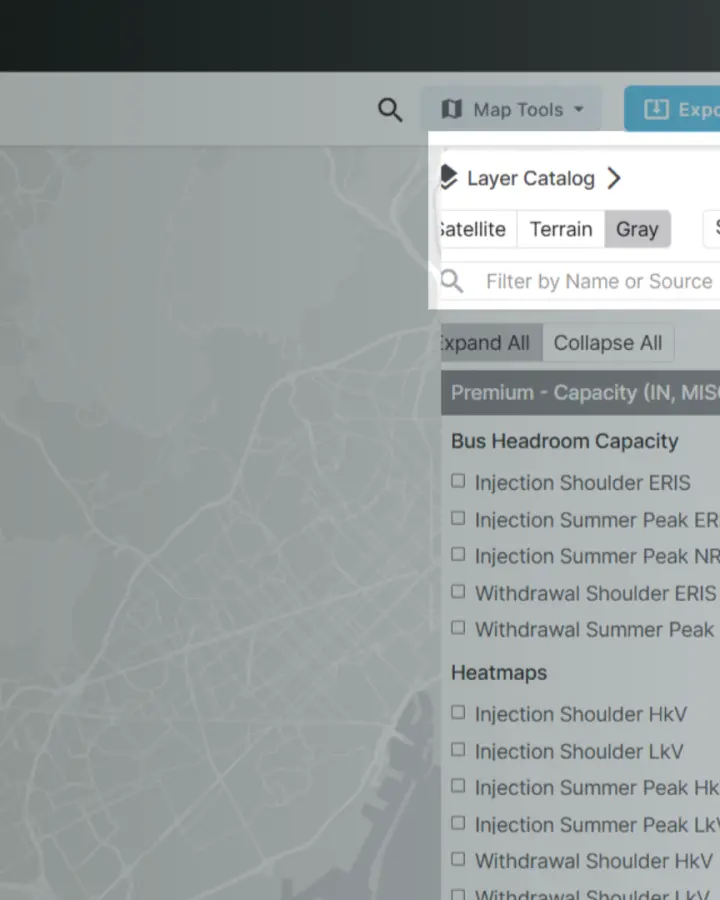
The Grayscale Basemap backdrop on PVcase Prospect
Capacity Search by Total Cost
Stop guessing at interconnection costs. You can now filter POIs by total upgrade exposure directly with PVcase Prospect capacity data. Identify viable greenfield sites faster by viewing total costs rather than just shared allocations.
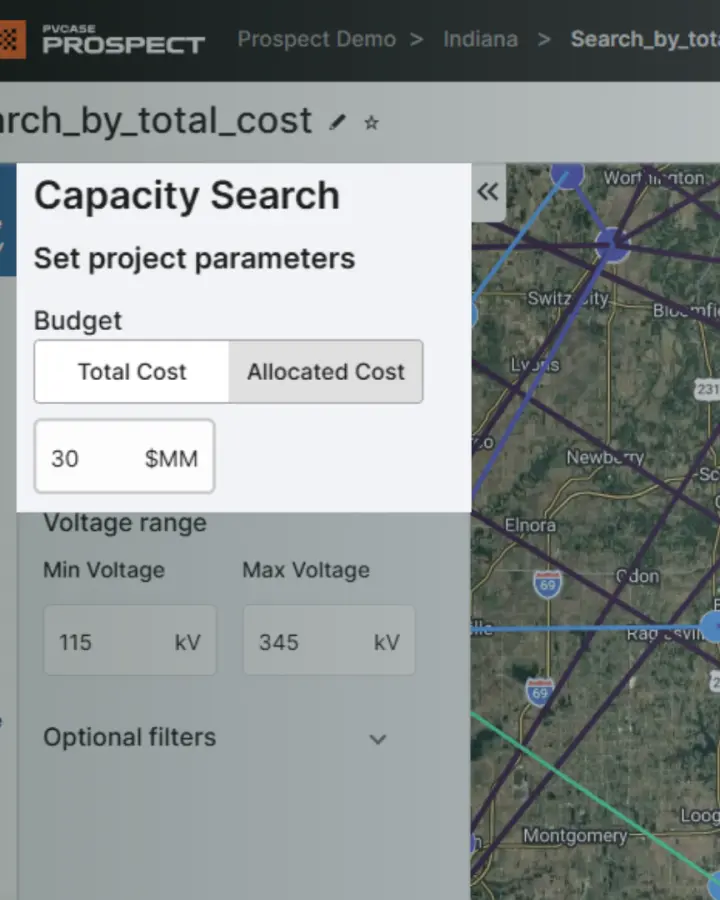
The Capacity Search by Cost display on PVcase Prospect
PVcase Ground Mount
Preliminary Electrical Design Beta Workflow
Turn design complexity into automated engineering clarity and eliminate the guesswork in site footprinting. Our new geometrical algorithms intelligently position power stations to minimize voltage drops and cable lengths, delivering a bankable, high-yield layout in seconds.
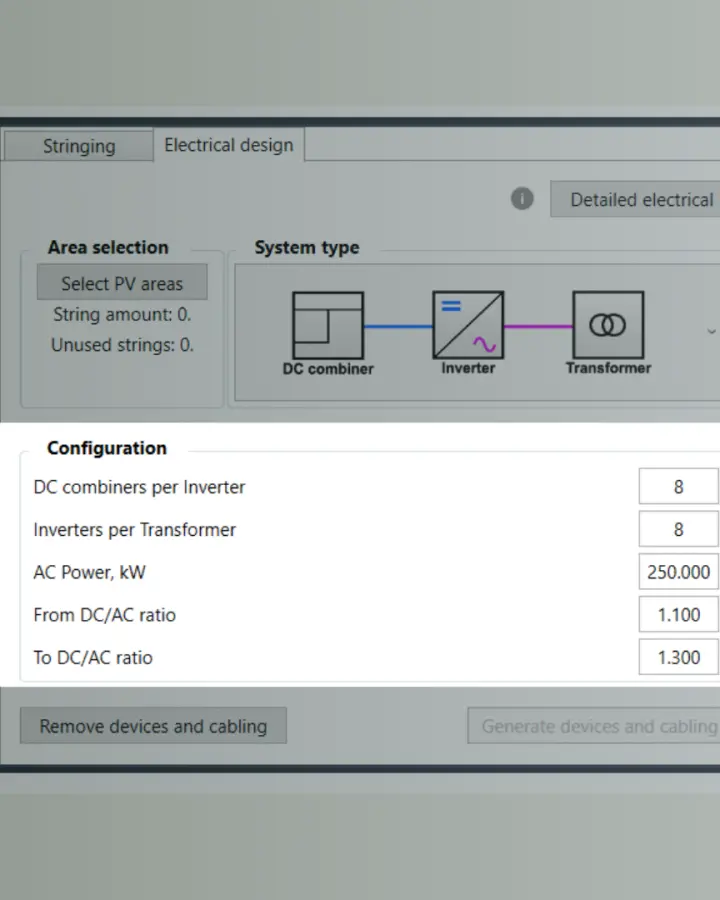
Preliminary Electrical Design configuration on PVcase Ground Mount
Automated Cable Sizing
Automatically select conductors based on distance, safety standards, and real-world conditions. This tool ensures industry compliance while slashing material expenditure and lowering your overall Balance of System (BOS) costs.
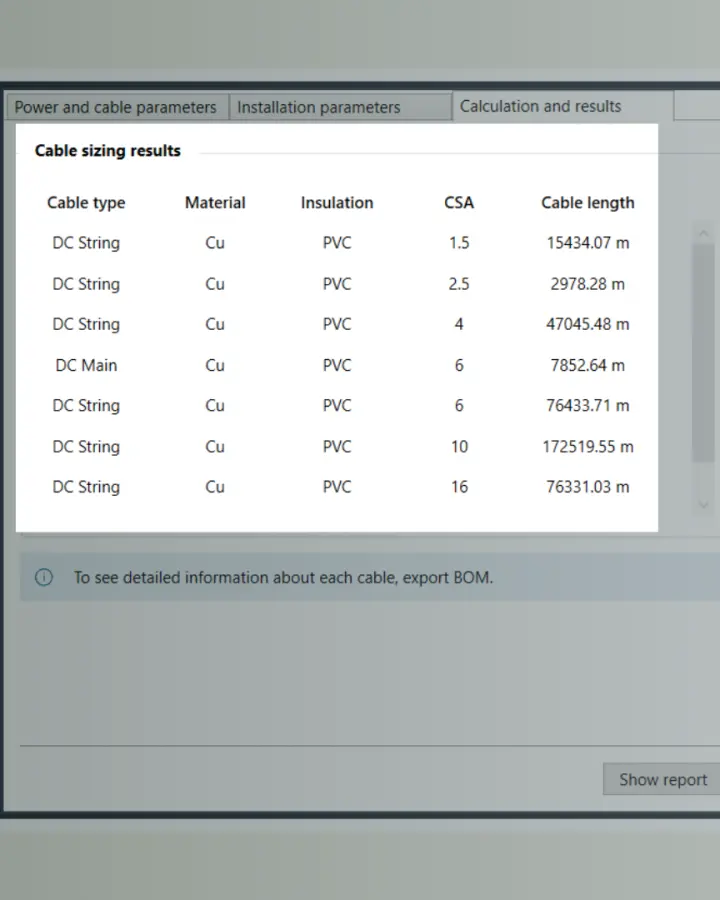
PVcase Ground Mount's Automated Cable Sizing feature slashes material expenditure.
Custom Shading Options
Obtain precise, terrain-adaptive modeling. Integrate complex shading objects — Single, Continuous, Batch, or Polyline — that snap directly to your site’s topography. No manual rework, no bottlenecks, just 100% accuracy on challenging ground.
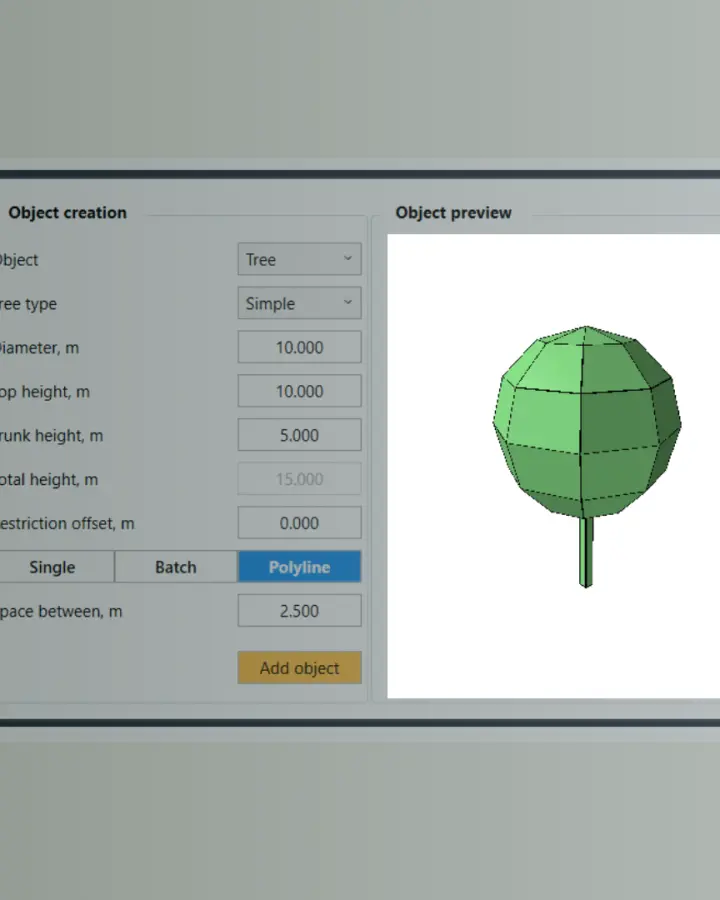
The Custom Shading Options input enables higher accuracy and lowers the risk of manual reworks.
Please note: These features are available starting with version 2.59. Be sure to update PVcase Ground Mount to access them.
See the new updates in action
We built these features based on your feedback to make your daily workflow faster and more precise. Ready to level up your next project? Book a PVcase demo to explore how they can benefit your projects. More updates are on the way — happy prospecting and designing!